Some links on this page are Amazon affiliate links. If you choose to buy through them, RemoteWorkHaven may earn a small commission at no extra cost to you.
These links only appear where tools or setup gear naturally fit the topic. No paid placements. No brand endorsements.
Most home office content is written by people who want to sell you a lifestyle. The desk is spotless, the monitor arm is surgical, there’s a plant in the corner and a ring light in the background, and somehow none of it looks like a place where work actually happens. Home office gear that actually works doesn’t photograph well because it’s been used. The test isn’t aesthetic. The test is whether it reduces friction, holds up under daily use, and doesn’t add maintenance to a routine that already has too much in it.
The real problem with most home office setup advice is that it conflates ergonomics with luxury. You don’t need a $1,500 chair to have correct lumbar support. You don’t need a motorized desk to stand up and work. You need gear that positions your body correctly, keeps your cables from tangling into your day, and gives you enough light to see what you’re doing without eyestrain. That’s the whole list. Everything else is a feature you’re paying for before you know if you need it.
What Home Office Gear That Actually Works Needs to Do
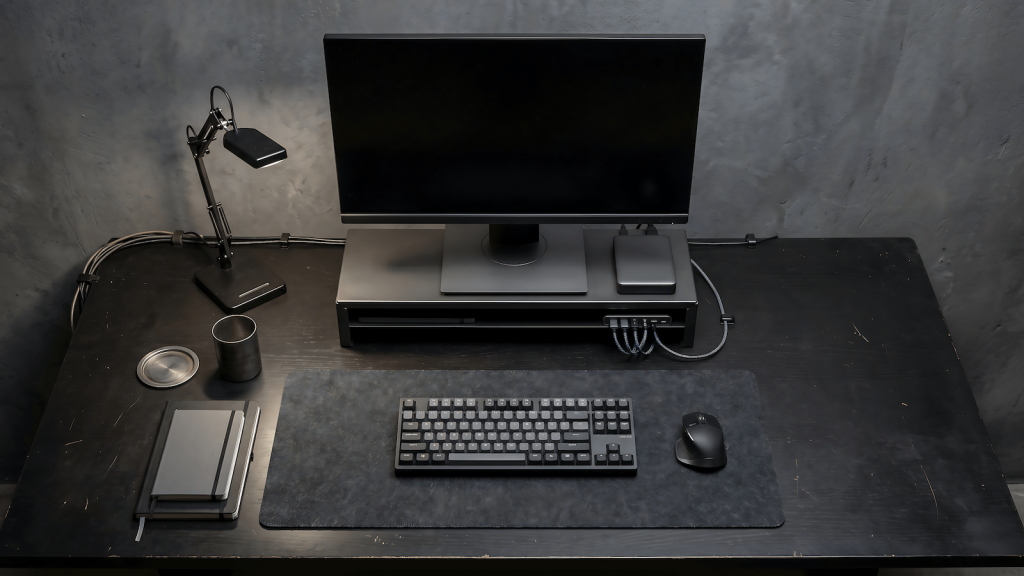
The infrastructure test for any piece of home office gear is simple: does it solve a friction point that exists in your current setup, or does it create a new one? A monitor riser that gets your screen to eye level solves a real problem. A monitor arm that requires cable rerouting and a 45-minute installation might create one. A desk pad that protects the surface and gives your mouse consistent tracking solves a real problem. A smart desk pad with USB hubs and wireless charging might create one if it needs to be plugged in and managed separately.
Amazon Basics covers the functional tier of most of these categories reliably. The products exist at the intersection of spec-adequate and low-maintenance, which is exactly where a home office baseline should sit. You can upgrade individual components later when you know what your actual pain points are. If you’ve ever dealt with posture issues, migraines, or eyestrain from a bad setup, you already know what it costs to ignore the baseline. Starting with premium gear before you’ve run your setup in production is committing to a configuration before you understand the problem.
The Gear List
This is what a functional home office needs, in order of impact. This post contains affiliate links, and if you buy through them I earn a small commission at no extra cost to you.
| Product | Key Spec | Honest Take |
|---|---|---|
| Amazon Basics Desk Pad | Non-slip base, smooth surface, 31″ x 15″ | Keeps mouse tracking consistent, protects the desk, stays flat |
| Amazon Basics Ergonomic Chair | Lumbar support, adjustable height and armrests | Not a premium chair but it positions correctly for under $150 |
| Amazon Basics USB-C Hub | Multiple USB-A, HDMI, USB-C passthrough | Handles laptop peripheral connections without a rat’s nest |
| Amazon Basics Monitor Stand | Bamboo or MDF, raises screen 4-6″ | Gets the monitor to eye level, adds storage underneath |
| Amazon Basics Full Motion Monitor Mount | Single arm, VESA 75/100 compatible | Better than the stand if you need screen repositioning |
| Amazon Basics LED Desk Lamp | Adjustable brightness, USB charging port | Even light distribution, no flicker, fits into any setup |
| Amazon Basics Cable Management | Raceway or velcro ties, pack of several | The thing you always need and never buy until it’s a problem |
What to Skip
Mechanical keyboards are the home office gear equivalent of audiophile headphones. They are genuinely better to type on for a certain type of user with a certain type of workflow, but they are not a productivity upgrade for the average remote worker, and they cost five to ten times as much as a functional membrane keyboard. Skip them until you’ve identified that typing feel is a genuine daily friction point for you specifically. The multi-monitor trap works the same way: more screen real estate sounds like a productivity upgrade until you realize your bottleneck is focus, not display area.
Smart speakers don’t belong in a work setup unless you’ve built a specific workflow around voice commands. If you’re using one to play music while you work, that’s a Bluetooth speaker problem, not a smart speaker problem, and you can solve it for $30. The home assistant functionality adds dependencies to your setup without adding proportional value to your output. Keep the setup dumb where dumb works.
Standing desks are worth it eventually, but not at the beginning. The research on standing desk benefits assumes consistent use, which requires a habit that takes months to build. A fixed desk at the correct height with a monitor at eye level will outperform a motorized standing desk that you’re not using the standing function of. Buy the fixed desk. Add the standing later if you’re actually going to use it.
Building the Setup in Layers
Home office gear that actually works is a baseline, not an endpoint. The starting layer is the stuff that affects your posture, your eyeline, and your cable situation because those are the things that compound negatively over a full workday. The second layer is the stuff that affects your peripherals: keyboard, mouse, USB hub. The third layer is the optimization gear: additional monitors, better lighting, upgraded chair.
Each layer should be bought only after the previous layer has been running for at least a few weeks. That window tells you what’s actually broken versus what you’re just bored of. Most people skip the baseline and go straight to optimization, then wonder why the expensive setup still doesn’t feel right. If you want to understand what a properly configured home office is actually trying to do, the answer is simpler than most setup guides make it sound. The desk pad and the monitor riser and the cable management aren’t glamorous. They’re also the things that will still be on your desk five years from now.