
You are not forgetting training because you are bad at learning. You are forgetting it because you are trying to process six hours of information after it already happened.
Most VAs sit through an entire session, collect screenshots across multiple modules, write rough notes in between, and then try to make sense of all of it at the end. By that point the context from the first module is already fading. The screenshots are out of order. The notes reference things you vaguely remember but cannot fully reconstruct. You end up with a pile of inputs and no clear picture.
That is not a note-taking problem. That is a workflow problem.

Why Processing After the Fact Always Fails
The instinct is to collect everything during the session and organize it later. It feels efficient because you are not breaking your focus while the trainer is talking. But what actually happens is that later becomes a second full session you have to run on degraded memory.
You are not just organizing notes at that point. You are trying to reconstruct context you no longer fully have. The screenshots look familiar but the explanation that went with them is gone. The notes make partial sense. You fill in the gaps with guesses, and the gaps are exactly where the important details lived.
Information overload does not happen because there is too much information. It happens because the processing never keeps pace with the input.
The Fix Is a Loop, Not a Sprint
Instead of collecting everything and processing nothing, you flip the sequence.
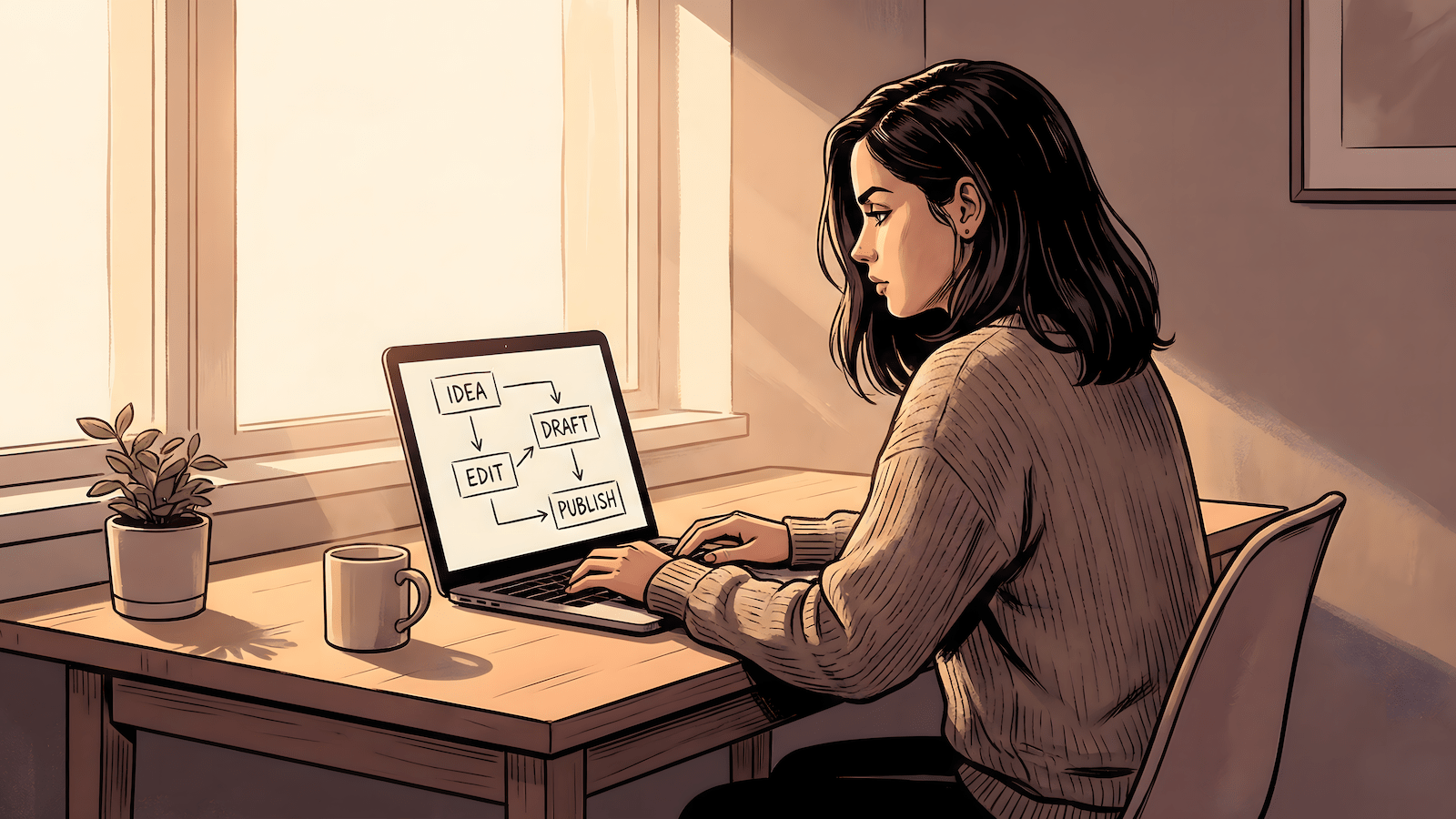
You process during training, one module at a time, while the context is still fresh. Each module produces a small, structured output. By the time the session ends, you already have a complete context layer built from every module. Then and only then do you run the final steps that turn that context into notes, a quiz, and a submission-ready document.
The workflow looks like this.
During training, at the end of each module or topic block, you drop your screenshots and rough notes into ChatGPT and run the capture prompt. One module, one run. The output is a structured summary of that module. You save it and move to the next one.
After training, once every module has been processed, you combine all the structured summaries and run the remaining steps in sequence. Structure into notes. Notes into a quiz. Quiz plus notes into a final document.
You never try to process six hours at once. You process in chunks as you go, and the final steps are fast because the hard work is already done.
[mmp_ad_mid]
Setting This Up in ChatGPT
Start a single ChatGPT conversation at the beginning of your training session and keep it open the entire time. This is your working context for the day. Do not close it between modules.
Each time a module ends, paste your screenshots and rough notes and run the Stage 1 prompt.
Tell ChatGPT which module it is so the outputs stay organized.
When all modules are done, scroll back through the conversation, copy all the Stage 1 outputs together, and feed them into Stage 2.
Then continue through to the end.
Keeping everything in one conversation means ChatGPT retains the context of what came before. You are not starting fresh each time. You are building on what was already processed.
Why Prompts Alone Do Not Fix This
Most people try to solve the retention problem by jumping straight to prompts.
Summarize my notes. Explain this topic. Make me a quiz.
The output is generic. Shallow. Not useful for the specific thing you are learning. That is not an AI failure. That is a context failure. When you feed a model fragmented, unstructured input, it fills the gaps with averages. It does not know what training you went through, what rules apply to your actual role, or what mistakes are common in your workflow.
The prompt is not the variable. The context is.
Before any prompt does useful work, you need an actual context layer built from your training materials. Once that exists, the prompts become reliable. Without it, you are generating filler faster. If you want the full breakdown of why context beats prompt tweaking, that explanation lives over at EngineeredAI‘s post on Context Engineering Is What Prompt Engineering Was Supposed to Be. If you want to see how that same structured thinking applies to a remote work writing workflow specifically, this post breaks it down: I Learned How to Use AI From a Developer. It Changed How I Write.
[mmp_ad_mid]
The Prompts
These only work inside the workflow described above. Running them on a full session dump at the end is how you get shallow, generic output. Running them per module as you go is how you get something actually usable.
Stage 1 – Module Capture (run once per module, during training)
Process the screenshots and notes from this training module.

Extract and organize:
- Main topics covered
- Key terms and definitions
- Workflows or step-by-step processes
- Rules or important guidelines
- Example scenarios, if any

Rules:
- Merge duplicate information
- Ignore irrelevant content or UI noise
- Group by topic

Label the output with the module name or topic.
Run this at the end of every module. Do not wait until the session is over.
Stage 2 – Build Structured Notes (run once, after all modules)
Using all the structured module summaries, create consolidated training notes.

For each topic:
- Topic name
- Clear, practical explanation
- Key rules or important details
- One real-world example of how this applies in the role

Keep each entry concise and specific. No filler.
This is where all the module outputs come together into a single coherent knowledge base.
[mmp_ad_mid]
Stage 3 – Generate a Quiz (run once, after Stage 2)
Based on the training notes, generate quiz questions.

Include:
- 5 to 10 multiple choice questions
- 3 to 5 situational questions based on real work scenarios
- Correct answers with short explanations

Focus on:
- Correct process and workflow steps
- Key terms and their practical meaning
- Rules that are easy to confuse or forget
Test yourself before the assessment tests you. This is what closes the retention gap.
Stage 4 – Final Training Document (run once, after Stage 3)
Create a final training document using the structured notes.

Include:
- Overview of what the session covered
- Key learnings in bullet form
- Important terms and definitions
- Practical applications for the role
- Common mistakes to avoid

Keep it professional, concise, and structured. No repetition.
This is your submission document and your permanent reference. You open this the next time you forget something instead of asking a teammate.
Who This Works For
The workflow solves the same problem across roles. Virtual assistants, BPO agents, customer service teams, tech support staff, anyone going through multi-hour remote training with high information volume hits the same wall. The inputs are different but the failure mode is identical. Too much coming in, no system for processing it as it arrives. Once training is done, the same logic carries into daily client work. This is where it goes next: Remote Work Isn’t Dead. It’s Upgraded with AI Assistants.
Build the system once. Run it every session.
Final Thought
The 30 percent retention rate is not your ceiling. It is just what happens when you collect without processing.
Change the workflow and the number changes with it.