Updated: February 13, 2026 Tightened recommendations, removed outdated advice, and sharpened the value-driven approach to remote work setups.
Remote work gear isn’t about collecting devices. It’s about building a setup that earns its keep.
Whether you’re new to remote work or refining your home office, the goal is simple: choose tools that match your workload, last for years, and don’t waste your budget. This isn’t about trendy gadgets. It’s about utility, reliability, and long-term value.
What Actually Matters in Remote Work Gadgets
Before buying anything, ask:
- Does this improve output or reduce friction?
- Will this still be usable in 3–5 years?
- Can it be upgraded or repaired?
- Is it solving a real problem or just aesthetic?
Remote work setups fail when people buy for image instead of function.
Core Tech: Computers, Monitors & Connectivity
Desktop Workstations: Maximum Value Per Peso
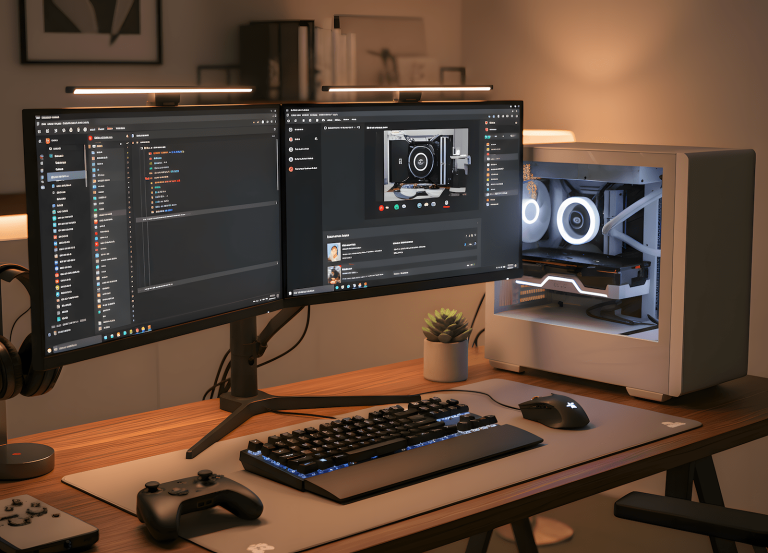
If you don’t need mobility, desktops remain the strongest long-term investment.
Why?
Performance per Peso
You get more processing power for the same budget compared to laptops. For content creation, coding, editing, or multitasking-heavy work, that margin matters.
Upgrade Path
RAM, storage, GPU these can be replaced individually. You’re not locked into a sealed machine.
Thermal Reliability
Desktops manage heat better. That translates to longer component lifespan and more stable performance under load.
Local builders like PC Express or Dynaquest PC make custom builds accessible even on mid-range budgets. You can scale over time instead of replacing everything.
Desktops aren’t flashy. They’re durable.
Laptops: Paying for Flexibility
Laptops make sense if mobility is part of your workflow.
But the rule changes.
You’re not buying raw power.
You’re buying flexibility.
Solid entry options like the Acer Aspire 5 handle administrative and general tasks well.
Mid-range machines such as the ASUS VivoBook 15 provide balanced performance for most remote roles.
Premium models like the HP Spectre x360 or Apple MacBook Pro justify their price when workload demands consistency under pressure.
The mistake isn’t buying a laptop.
The mistake is buying underpowered hardware that ages out in two years.
Buy once. Not annually.
Internet That Doesn’t Collapse Mid-Meeting
Speed is marketing. Stability is productivity.
Fiber at 50–100 Mbps is more than enough for most remote roles. What matters is uptime consistency, not exaggerated bandwidth.
Primary Connection
If fiber is available, use it. It minimizes latency and dropouts. Budget-friendly router brands like TP-Link or Tenda are widely available locally and perform reliably for small home setups.
Backup Strategy
Internet failures happen.
Have:
- A mobile hotspot (Smart or Globe)
- Or a dual SIM device if mobility matters
Remote work without redundancy is gambling.
Wired vs Wireless
Ethernet remains more stable for critical work. If your desk allows it, plug in. Wi-Fi convenience should not override stability when deadlines are involved.
Comfort & Ergonomics: The Hidden Multiplier
Hardware boosts output.
Ergonomics protects longevity.
A poor chair can erase any productivity gain your hardware provides.
Desk
Custom desks from local carpenters often cost less than branded imports and fit your space better. Mandaue Foam and similar local suppliers offer durable, practical options without premium branding markups.
Function over aesthetics.
Chair
Skip gaming aesthetics.
Look for lumbar support, adjustable height, and breathable material.
Local ergonomic options can outperform imported “gaming” chairs at lower cost.
Ergonomics isn’t luxury. It’s damage prevention.
Communication Tools That Don’t Embarrass You
Remote work is communication-heavy. Invest where clarity matters.
Webcam
A 1080p camera like the Logitech C920 is sufficient. Anything beyond that is unnecessary for most workflows.
Microphone
Built-in laptop microphones are unreliable.
A simple USB mic like the HyperX SoloCast dramatically improves meeting quality.
Clarity equals credibility.
Headphones
Models like SteelSeries Arctis 1 or HyperX Cloud Stinger provide comfort and clear audio without overspending.
You don’t need studio-grade equipment. You need consistency.
Building a Value-Driven Setup
A functional remote office doesn’t require expensive imports or influencer setups.
It requires:
- Practical hardware
- Stable internet
- Ergonomic protection
- Clear communication tools
- A budget that prioritizes longevity
Supporting local builders and furniture makers isn’t just patriotic. It’s practical. Customization often costs less than brand premiums.
The goal is simple:
Build once. Upgrade when necessary. Replace only when performance demands it.
Remote work is not temporary anymore.
Your setup shouldn’t be either.

WFH Survival Architect • Licensed Procrastination Consultant
Builds remote work systems that last. No aesthetic setups. No influencer tech lists. Just hardware, internet, and furniture that earn their space and survive daily load.
Built RemoteWorkHaven.net for remote workers who treat their setup like infrastructure, not decoration.