Companies spent significant money on enterprise security infrastructure when remote work scaled up. VPNs, endpoint management, device policies, MDM enrollment, forced password rotation. Most of it was necessary. None of it addressed the actual problem, which is that security tools protect systems and people protect access, and remote workers are often doing both jobs simultaneously without training for either.
The attack surface for a remote worker isn’t the company’s firewall. It’s the gap between what IT secured and what the worker does on their own. That gap is where most remote work breaches actually happen.
The Home Office Is Not a Controlled Environment
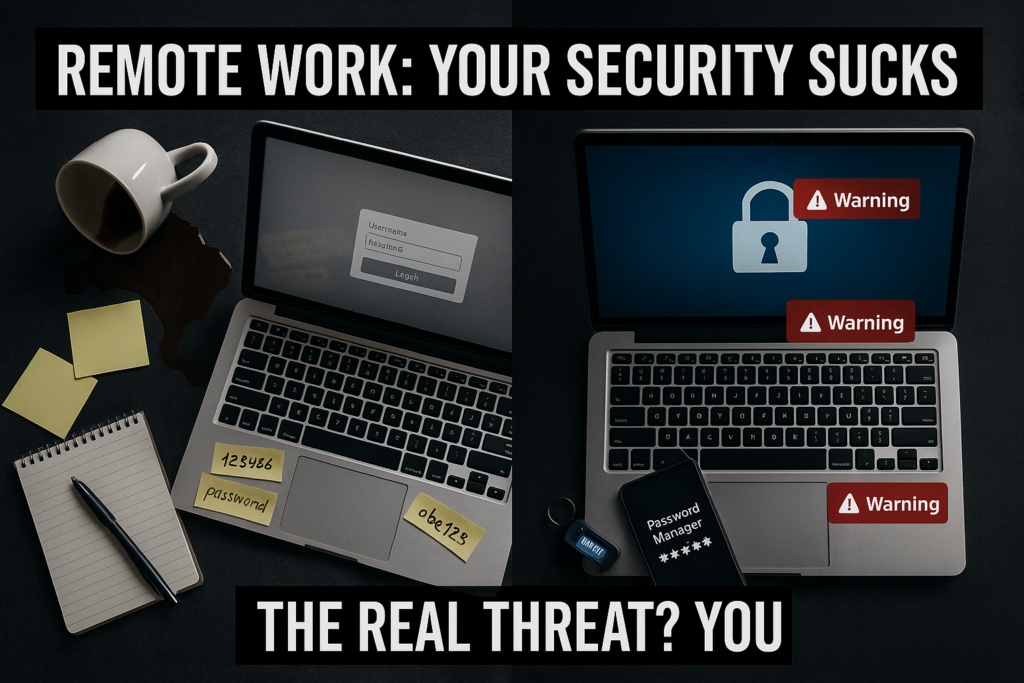
An office has a single network, managed devices, physical access controls, and an IT team that can see anomalies in real time. A home office has a consumer router running firmware that hasn’t been updated since it was installed, a shared network with other household devices, personal and work apps running on the same machine, and zero monitoring. The security posture dropped dramatically the day everyone went remote and most organizations never fully accounted for that.
The threats that actually hit remote workers aren’t sophisticated. They’re opportunistic. Phishing emails that look like Slack login prompts. Password reuse across personal and work accounts that gets exposed in a consumer data breach. Public Wi-Fi sessions without a VPN that let someone on the same network intercept traffic. Family members using a work device because it was the closest thing available. None of those require a skilled attacker. They just require a moment of inattention or convenience-driven decision-making.
The human behavior problem is harder to solve than the technical one because it requires changing habits under conditions where the consequences are invisible until they aren’t.
The Habits That Actually Matter
A password manager is the highest-leverage single change a remote worker can make to their security posture. Not because passwords are the most important attack vector, but because password reuse is so common that a single consumer breach such as a streaming service, a shopping account, a forum can hand an attacker valid credentials for work systems if the same password was used across both. A password manager eliminates that entire class of vulnerability at the cost of a few minutes of setup.
Bitwarden is the practical recommendation here. It’s open source, audited, free for individual use, and has browser extensions that make the daily experience less friction than typing passwords manually. There’s no reason to use anything else at the individual tier. If your organization requires a managed solution, 1Password Teams is the standard at the business level and integrates with most enterprise identity systems.
Two-factor authentication on every account that supports it is the second non-negotiable. Not SMS-based 2FA where possible SMS codes can be intercepted through SIM swapping, which is a known attack vector against remote workers specifically because they’re often using personal phones for work authentication. An authenticator app like Google Authenticator or Authy generates time-based codes locally that can’t be intercepted in transit. The setup takes five minutes per account and the protection is categorical, a compromised password without the second factor is useless.
A VPN matters specifically when you’re working outside your home network. Coffee shops, coworking spaces, hotel Wi-Fi, any network you didn’t set up yourself is a network you shouldn’t trust for work traffic. Mullvad and ProtonVPN are the recommendations for individual use: no-log policies that have been independently audited, straightforward pricing, and clients that don’t require a computer science degree to configure. For workers whose companies provide a corporate VPN, use it whenever you’re off your home network.
Device separation is the habit that requires the most discipline and gets skipped most often. The work laptop is for work. Personal browsing, gaming downloads, and your kids’ homework happen on a different device. The risk of mixing isn’t theoretical, consumer sites have higher malware exposure than corporate environments, and a browser extension or downloaded file on a personal use session can compromise a work device that shares the same user profile. If a separate device isn’t possible, at minimum use separate browser profiles with no shared extensions or saved credentials between work and personal contexts.
The Surveillance Trap
Some organizations responded to remote work security concerns by deploying monitoring software, a screenshot capture, keystroke logging, activity tracking, webcam snapshots. That approach doesn’t improve security. It improves visibility into what employees are doing, which is a different thing entirely. A worker being monitored every thirty seconds by a screenshot tool can still click a phishing link. The monitoring software just documents that they did it.
Worse, surveillance tools push workers to find workarounds. Personal devices for work that aren’t monitored. Shadow IT tools that don’t show up in the activity logs. Behavior that looks compliant on the monitored machine while real work happens on the unmonitored one. The security posture gets worse, not better, while the organization believes it’s under control.
Real security investment at the organizational level is in training and tooling, not monitoring. Workers who understand what a phishing attempt looks like are more valuable than workers who are being watched. The remote work trust problem runs through security too, organizations that don’t trust their workers to be productive also don’t trust them to make good security decisions, and the response to both is surveillance rather than culture.
The experience of going through a VA onboarding process where the IT checklist became a gatekeeping ritual rather than a genuine security check is a good illustration of how compliance theater actually works in practice.
The Minimum Viable Security Stack
For a remote worker who wants to stop being the weakest link without spending a week on it:
Password manager — Bitwarden free tier covers everything an individual needs. Set it up, import your existing passwords, start replacing reused ones with generated ones over the next few weeks. You don’t have to do it all at once.
Authenticator app — Authy over Google Authenticator because Authy supports encrypted backups, which means you don’t lose all your 2FA codes if you lose your phone. Enable 2FA on email first, then work accounts, then everything else in order of importance.
VPN for off-network work — Mullvad at roughly five dollars a month or ProtonVPN’s free tier for lighter use. Turn it on when you’re not on your home network. Turn it off when you are, since your home router is already a known environment.
Software updates — turn on automatic updates for your OS and browser. Most remote work exploits target known vulnerabilities in unpatched software. The patch exists. Running the update is the entire fix.
Locked screen when you walk away — thirty seconds of idle time to lock. This matters most if you have other people in your home and it takes thirty seconds to set up.
None of that requires a security background. It requires the same discipline you’d apply to any other part of your work setup, the understanding that the tools don’t run themselves and the system only holds if the habits do.